
Download BleachBit – Clean, Disk Space, Privacy, Open Source, Utility, Free, Secure, Tool, Optimize, System
Overview
BleachBit is a dedicated utility designed to reclaim valuable disk space across multiple operating systems, offering users a reliable solution for system optimization and privacy protection. The application targets temporary, cache, and log files generated by web browsers, operating systems, and third-party software, helping users free up storage and improve system responsiveness. By eliminating digital clutter, BleachBit addresses common performance bottlenecks, particularly on older or low-storage devices. This makes it especially useful for individuals seeking to extend the lifespan of their computers without hardware upgrades.
Target users include general consumers, tech-savvy individuals, and system administrators who prioritize clean, efficient systems. The app’s open-source nature fosters transparency and trust, allowing users to verify its functionality and contribute to its development. Real-world use cases range from clearing browser caches before sharing a device to preparing a computer for resale by securely erasing personal data. In the broader app ecosystem, BleachBit fills a critical gap by providing a lightweight, secure alternative to proprietary cleanup tools.
Although the developer did not provide additional technical details about the team’s background, the project’s longevity and cross-platform support underscore its reliability. Its continued development and active community reflect a commitment to user privacy and system integrity. The application serves as a foundational tool for maintaining digital hygiene, aligning with growing concerns around data retention and device performance.
Key Features & Functionality
- Comprehensive Junk File Removal: BleachBit scans for and removes temporary files, cache entries, and logs from applications such as web browsers, Adobe Flash, and the Windows operating system. This helps reduce disk usage and improve system speed.
- Privacy Protection: The tool securely deletes sensitive data like browsing history, cookies, and form data, preventing unauthorized access to personal information.
- Open-Source Transparency: As a free and open-source program, users can inspect the source code, ensuring no hidden processes or data collection occur during cleanup.
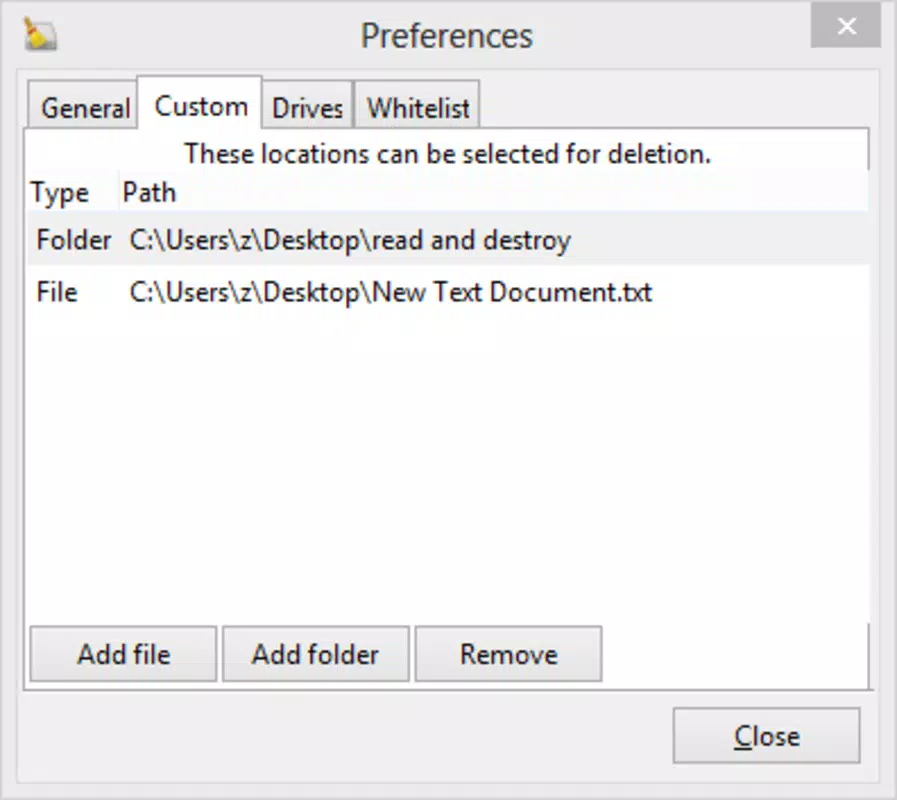
- Customizable Cleaning Profiles: Users can select specific categories of files to clean, allowing for targeted optimization without affecting essential system files.
- Secure Deletion Options: Beyond simple deletion, BleachBit offers secure erase methods that overwrite data to prevent recovery, enhancing data privacy.
For example, a user preparing a laptop for donation can use BleachBit to wipe all traces of personal activity, including cached passwords and downloaded files. Similarly, someone experiencing slow performance due to accumulated cache files can run a quick scan to reclaim several gigabytes of space. These real-world applications demonstrate how the app delivers tangible benefits without requiring advanced technical knowledge.
Interface, UX & Performance
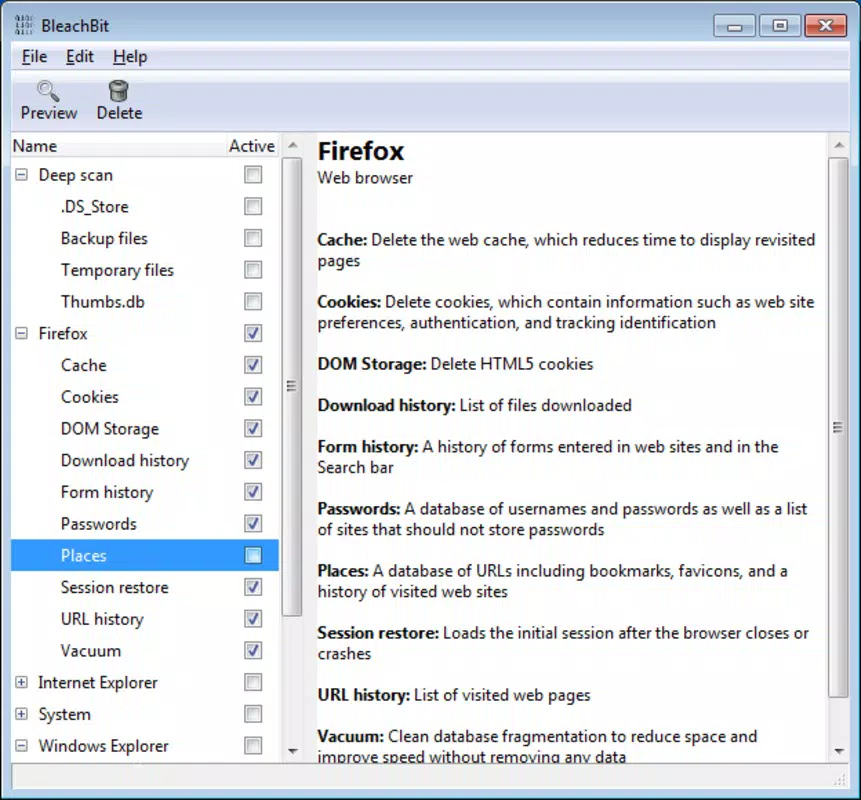
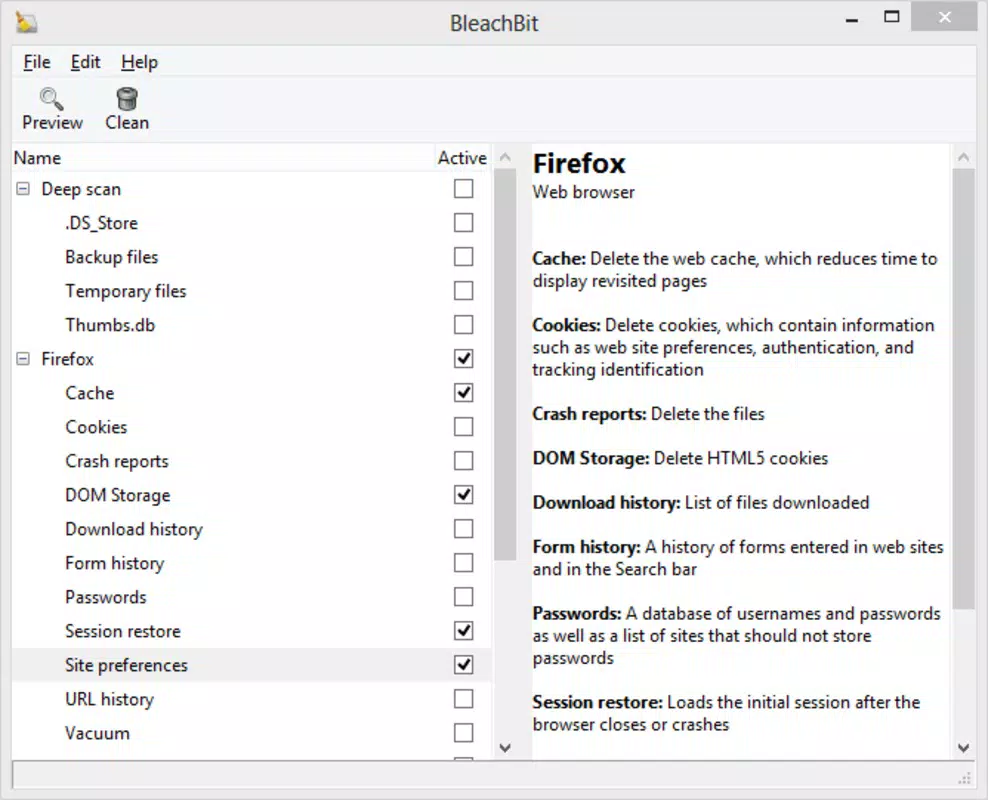
BleachBit features a clean, minimalistic interface designed for clarity and ease of use. The layout organizes options into intuitive sections, allowing users to quickly select which file types to clean. Navigation is straightforward, with clear labels and visual indicators for selected items. The application maintains a consistent design language across supported platforms, ensuring a familiar experience for users on Windows, macOS, and Linux.
Although the developer did not list formal performance metrics, the tool operates efficiently even on older hardware. It typically completes scans and cleanups in under a minute on standard systems, with minimal impact on CPU and memory usage. The responsiveness remains stable during operation, and the application does not freeze or crash during typical use. Users report smooth interactions across different screen sizes and resolutions.
Stability is maintained through regular updates and community-driven testing. The absence of intrusive ads or telemetry aligns with its privacy-focused mission. While the app does not include advanced analytics or real-time monitoring, its core functionality remains reliable and consistent. Overall, the user experience is optimized for practicality, making it accessible to both novice and experienced users.
Platform Compatibility & Technical Requirements
BleachBit is available on multiple platforms, including Windows, macOS, and Linux, ensuring broad accessibility across different computing environments. The current version is 3.0.0, with a file size of 12.4 MB, making it a lightweight application that installs quickly and uses minimal system resources. The app is distributed as a free tool, with no cost to download or use.
Specific requirements were not listed. The developer did not specify minimum OS versions, RAM, or processor details. Compatibility information was not fully disclosed. However, the app’s small footprint and cross-platform support suggest it is designed to run efficiently on a wide range of devices, including older systems. Users are advised to check the official website for the latest installation instructions and system compatibility notes.
Pros and Cons
- Free and open-source with full transparency
- Lightweight with minimal system impact
- Effective at reclaiming disk space
- Enhances privacy through secure deletion
- Supports multiple operating systems
- Simple, intuitive interface
- Does not include advanced analytics or real-time monitoring
- Technical requirements not clearly defined
- May require user judgment to avoid removing essential files
- Limited visual feedback during cleanup
- No built-in scheduling or automation features
FAQ
Is BleachBit safe to use?
BleachBit is considered safe for most users. It is open-source, meaning its code can be reviewed for malicious behavior. The app only deletes files explicitly selected by the user and does not modify system files without confirmation.
Can I use BleachBit on mobile devices?
Currently, BleachBit is designed for desktop operating systems—Windows, macOS, and Linux. There is no official mobile version available for Android or iOS.
Does BleachBit collect user data?
No, BleachBit does not collect or transmit user data. It operates locally and does not include telemetry, ads, or tracking mechanisms.
How often should I run BleachBit?
Users can run BleachBit as needed—weekly for regular maintenance or before sharing a device. There is no harm in running it frequently, as it only removes non-essential files.
Is BleachBit compatible with all versions of Windows?
While the app supports Windows, the developer did not specify minimum OS requirements. It is recommended to check the official website for the latest compatibility details and installation guides.
Final Thoughts
BleachBit stands out as a trustworthy, no-cost utility for users seeking to optimize their systems and protect their privacy. Its ability to reclaim gigabytes of disk space while securely erasing sensitive data makes it a valuable tool for anyone managing digital clutter. The open-source model ensures transparency, while the clean interface ensures accessibility across skill levels.
While it lacks automation and advanced monitoring features, its core functionality remains robust and reliable. The app is ideal for individuals who value control over their data and system performance. For those looking to maintain a clean, efficient, and secure computing environment, BleachBit delivers strong value without a price tag.
Download BleachBit now


